A small team shouldn’t need a paid plan to publish a four-question client intake form. But add a file upload, a conditional question and a Google Sheets connection, and the free plan can start to feel pretty limited.
I built the same form in Tally and Typeform, tested the different paths and checked what I could actually publish. Tally let me start without an account and publish the original form with its file upload for free. With Typeform, I had to sign up first, then either upgrade or change the form to publish it.

For a small team setting up client intake, I would start with Tally. Here’s what worked in each tool, the logic mistake I made in Tally and what happened when I connected the forms to Google Sheets.
How I tested
One brief, built twice: collect a company name, ask whether the prospect needs website design or advertising, collect a project description, and request a file upload only from the website-design branch. Then preview both answer paths, publish both forms, send a test entry down each route, and follow the data into Google Sheets.
That is small enough to build in minutes and realistic enough to expose the editor, the field menu, the logic model, the upload limits and the account boundary. Both builds were done by hand, in the browser, to the same depth: same questions, same branch, same preview checks on both routes. I did not read one product’s documentation and test the other.
How far the test went. My first Tally build needed no account at all. To publish, I switched to a free Tally account. Typeform needed an account from the start, so I used its free plan. Both forms went live and took test entries on both branches, and I tried to connect each one to Google Sheets. The screenshots below are from those sessions. Where I lean on a vendor’s own documentation instead, I say so.
Where each product stands
| What small teams decide on | Tally | Typeform |
|---|---|---|
| Build before signing up | Yes, full editor at /create | No, login required first |
| Free monthly responses | Unlimited (fair use) | 10, across the whole account |
| File upload on free | Included, 10 MB per file | Blocks publishing on free |
| Entry paid plan | $29/mo ($24 annual) | $29/mo, capped at 100 responses |
| Google Sheets on free | Connected first try | Listed as free; failed in my test |
| Payment block on free | Yes, via Stripe | Paid (Stripe and PayPal) |
| Editing a long form | One scrollable page | One screen per question |
| Branching setup | Inline rule, needs one extra step | Routed, no extra step |
Tally gets you live today, no account required
This is the clearest result in the test, and it is not close. In Tally I went from a cold browser tab to a four-question draft with working conditional logic without creating an account. The editor at /create opened a blank document, I typed a title, and a / command produced the block menu.
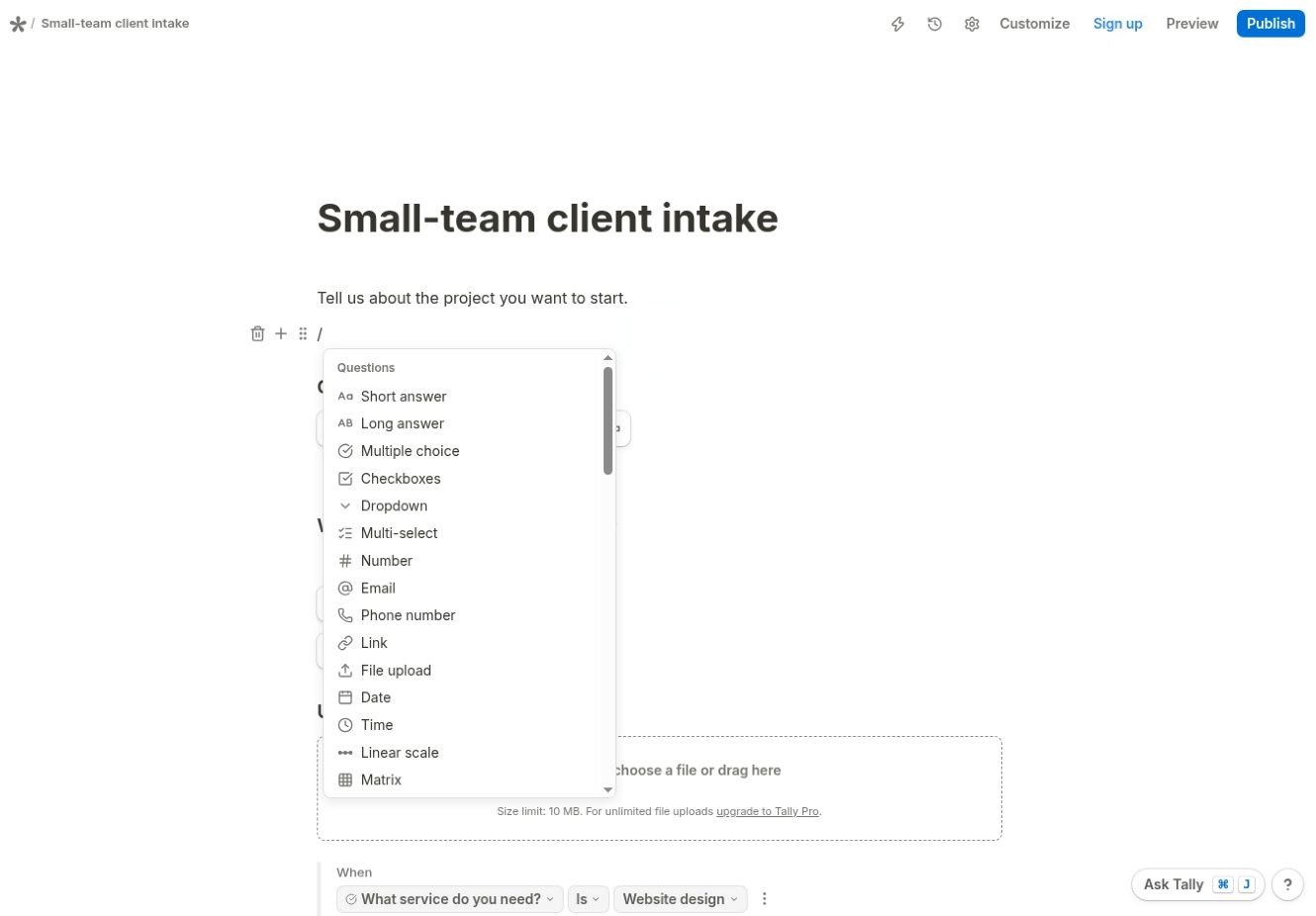
Typeform asked first. Logged out, I could not reach an editor at all. It bounced me straight to a login screen, and there is no equivalent of Tally’s anonymous draft. Once I was in, the new-form screen opened on an AI prompt rather than a blank page, with “Start from scratch” sitting underneath as the second option.
That gap matters more than it sounds. The cost of evaluating a tool is not the subscription, it is the half hour you spend before you know whether it fits. Tally lets you answer that question with the actual form you need, in your own browser, before you have given anyone an email address.
The structural difference compounds it. Tally keeps the whole form on one scrollable page, so I could see all four questions at once while editing the branch. Typeform gives each question its own page and its own screen. That is a real design choice rather than a flaw. But reviewing a Typeform means clicking through it, while reviewing a Tally form means scrolling. When the person editing the form next month is a colleague rather than you, legibility is worth more than polish.
A smaller annoyance, worth flagging because it caught me out: in Typeform’s choice editor, pressing Enter did not create a second choice. It ran the text onto the end of the first one, so I ended up with “Website designAdvertising” and had to clear the field and use “Add choice” instead. In Tally, Enter created the next option, the way you would expect.
The free plan is the real difference
Feature tables tend to bury this, so I will put it plainly: Typeform’s free plan allows 10 responses per month across the entire account, not per form. That figure was not something I had to look up. The account said so in two places, a banner above the form list and a counter reading “0 / 10”.

Ten enquiries is a fortnight for a working intake form, and then the form stops collecting. That is not a free plan you can build a process on; it is a trial with a counter on it.
Tally’s free plan offers unlimited forms and submissions, subject to a fair use policy. You can put a Tally form on a live page, leave it there, and only think about paying when you want the branding gone or a custom domain on it. The decision to upgrade comes after you know the product works for you, which is the right order.
File uploads, and what each actually costs
Both products showed a 10 MB per-file limit on their free tier, so file size is a tie. Availability is not.
In Tally, the upload block worked in a signed-out draft, with the limit and the upgrade path stated in place.

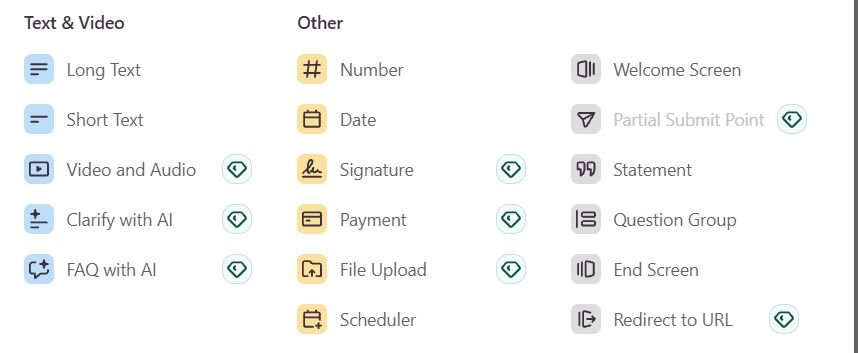
In Typeform’s element picker, File Upload carries an upgrade badge, as do Signature and Payment. The editor still let me add the question and preview it, so nothing stops you until the very last step.
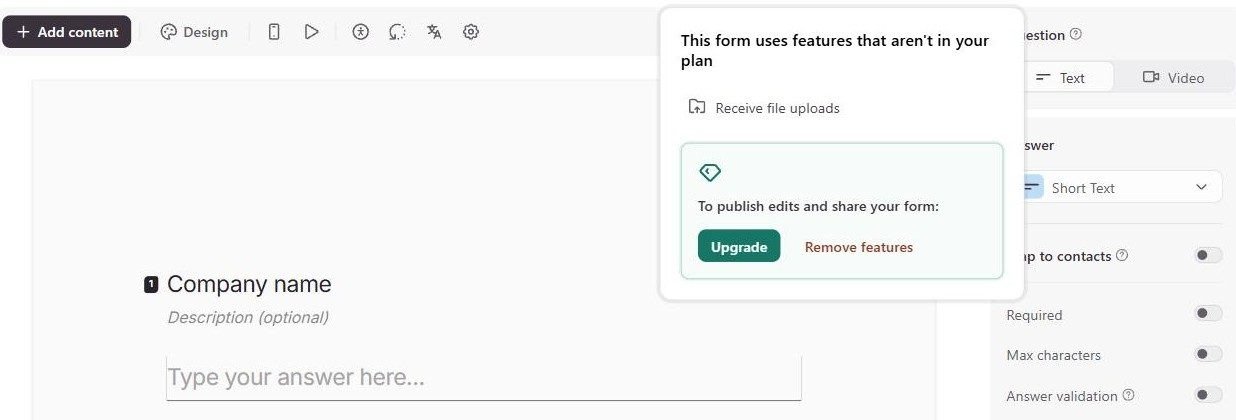
Then I clicked Share to publish, and Typeform refused. The panel names the reason, Receive file uploads, and offers two ways out: upgrade, or remove the feature. On the free plan, a form that asks for a file cannot go live at all.
Tally published the same brief, upload block included, on its free plan without a single prompt. I opened the live form, attached a PDF on the Website design route and submitted it.
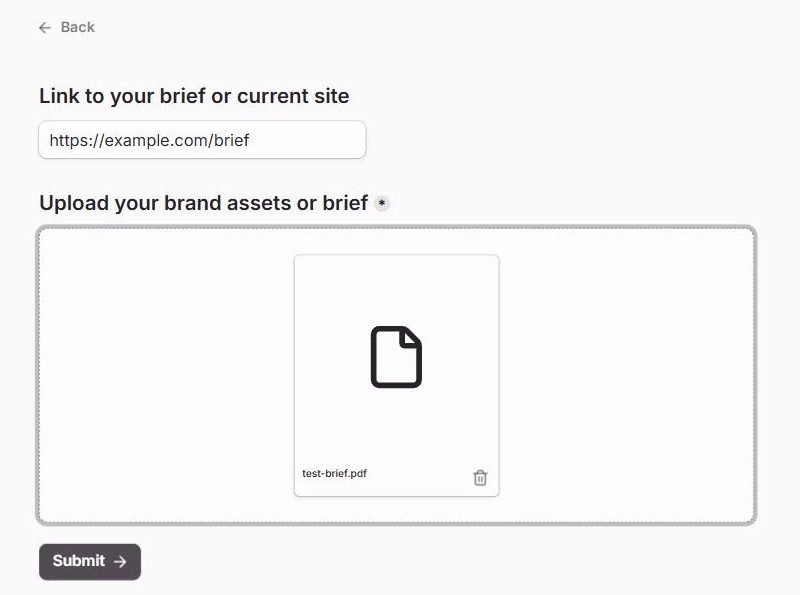
So a client-intake form that accepts a brief, an extremely ordinary requirement, is a paid form in Typeform and a free one in Tally. That now holds on live forms, not just in the editor.
On price, check the toggle before you quote a number. Tally’s pricing page defaults to annual billing, so the first figure a US visitor sees is $24 for Pro, not the monthly rate. The page also picks its currency by location, so readers in Europe get euros instead. This is the page as the Internet Archive captured it from the US on 16 September 2026.

Tally Pro is $29 per month billed monthly, or $24 a month billed annually; Business is $89, or $74 a month annually. The monthly figures match Tally’s help documentation. For that, Pro removes Tally branding, adds custom domains, partial submissions and unlimited team members, and it does not meter your responses. Typeform’s entry Basic plan is $29 per month billed monthly, or $25 a month billed annually, and still caps you at 100 responses. Typeform also notes that it experiments with pricing, so the plans in your account may differ from its published page.
One thing to get right when you build in Tally
Every tool has one step that behaves differently from the way it reads. This is Tally’s. It cost me a single preview, and once you know about it, it never catches you again.
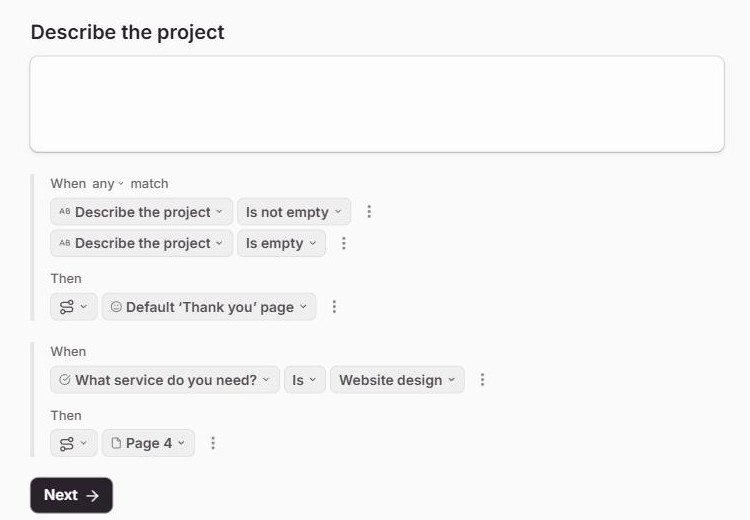
I placed a logic block, set When “What service do you need?” Is “Website design”, and chose the Show blocks action targeting the upload field. The rule reads exactly like the behaviour I wanted.
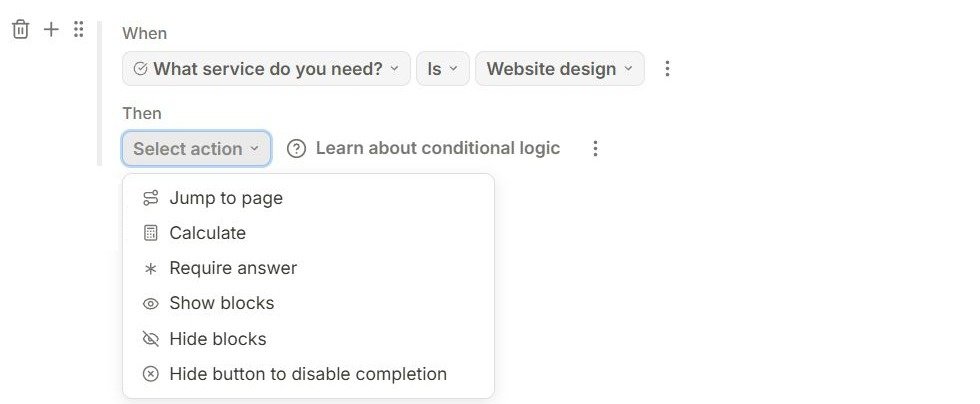
Previewing the Advertising path showed the catch. The upload was still on screen, and still marked required.
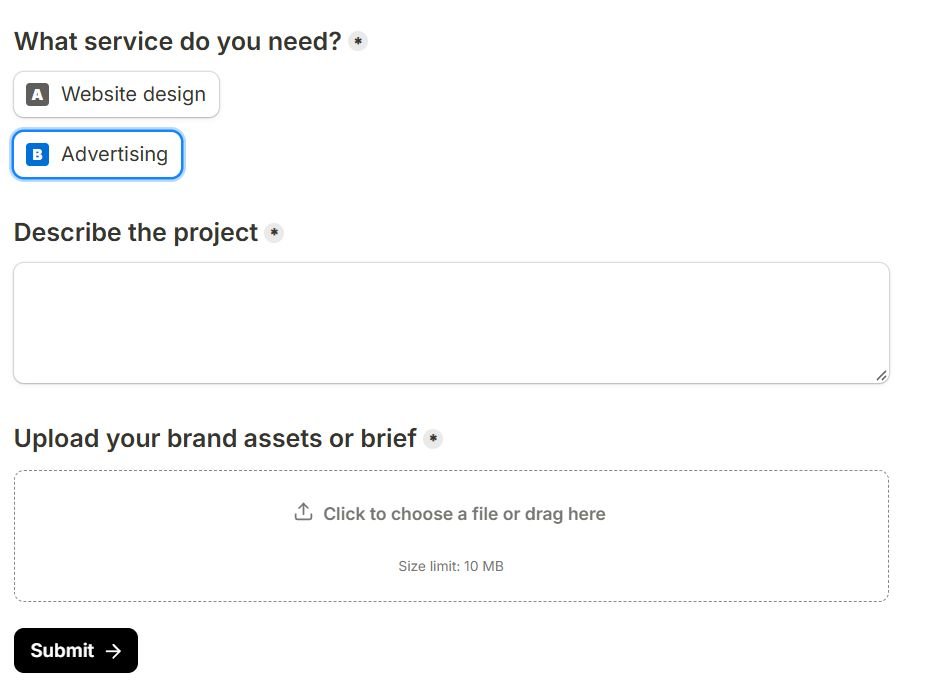
The reason is simple once you know it. Show blocks reveals a block that is already hidden. It does not hide anything by itself. So the block needs hiding first, from its own menu, where Hide sits alongside Delete and Duplicate.
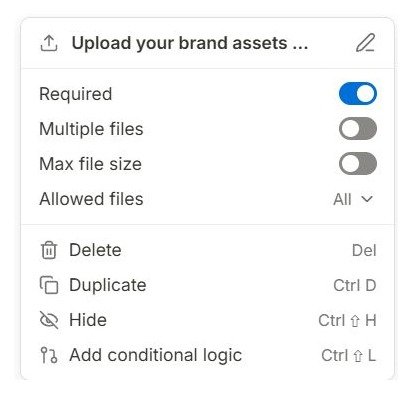
One click, and both routes behaved correctly: Advertising went straight to Submit, Website design revealed the upload.
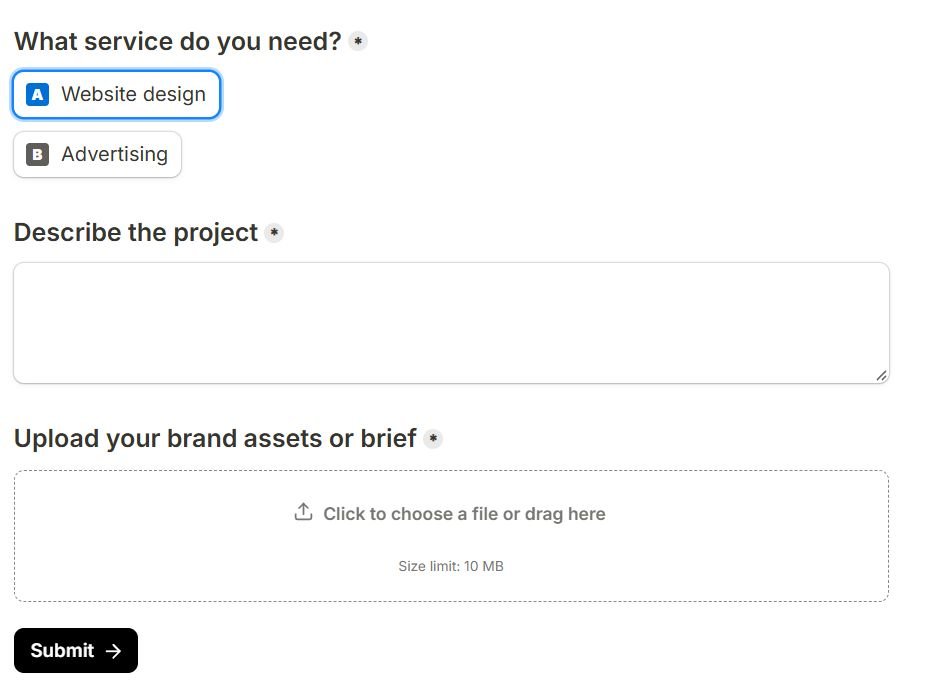
The rule to remember: in Tally, hide the block first, then use a Show blocks rule to reveal it. Build your branches before you write the rest of the copy, and preview every route once. That single habit is what turned a form that looked configured into one that behaved correctly, and it is the same habit that catches mistakes in any form builder, including Typeform.
What happened when real submissions came in
To publish the Typeform at all, I duplicated it and swapped the upload for a free “Link to your brief” question. Everything else stayed identical, branch included. Then I sent one entry down each route in both tools.
Both live forms routed correctly. Advertising stopped at question three, and Website design went on to the fourth step. Tally’s Submissions tab showed both entries, with the uploaded file counted separately at the top.

Typeform counted its two entries against the account immediately.

Then Google Sheets. In Tally it took one consent screen and a click on Create a new spreadsheet. Both entries appeared as rows within seconds, and the uploaded PDF arrived as a link in its own column.

Typeform lists Google Sheets without an upgrade badge, and the Google authorisation itself went through. The final step did not. I tried four times, with a new spreadsheet and with an existing one. Each time the Finish button did nothing visible, while Typeform’s own server answered with an error. From outside I cannot tell whether that was a passing fault or something about free accounts. What I can say is that it failed without telling me, which is the worst way for an integration to fail.
On a phone
Most intake forms get opened from a link on a phone, so I loaded both live forms in a frame 390 pixels wide, a typical phone width.
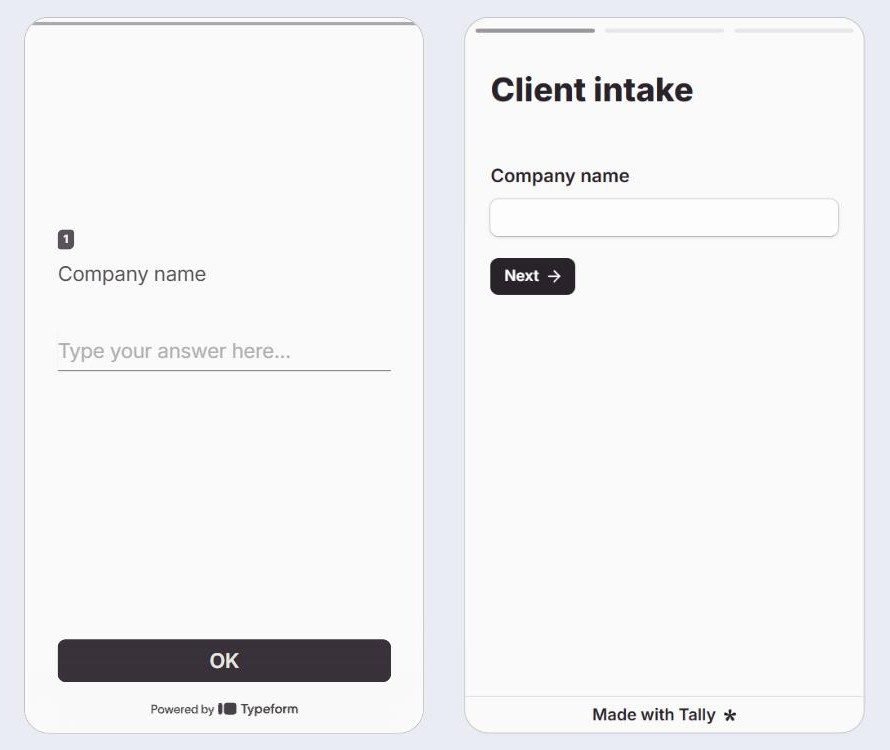
This is where Typeform earns its reputation. One question fills the screen and the big OK button sits right where your thumb is. I walked the Website design route at this width and the branch behaved exactly as on desktop. Tally’s first page fitted the frame with no changes on my side. It reads like a clean web page, which is what it is.
Taking payment in the form
My brief did not charge anyone, but deposits and paid consultations are common enough that I checked what each free plan allows. I did not connect a real Stripe account in either tool.
In Tally, typing /payment added a payment block on the free plan. It asks for a price and a currency, then for a Stripe connection. No upgrade prompt appeared.
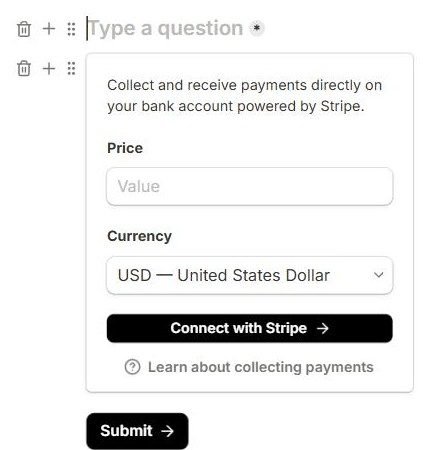
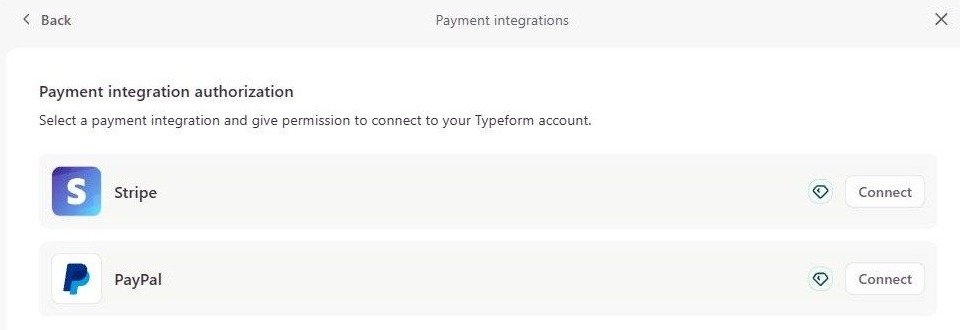
In Typeform, choosing Payment opens a list of providers, and both Stripe and PayPal carry the upgrade badge.
When Typeform is the better call
Two situations, and they are narrower than Typeform’s marketing suggests.
When the form is the campaign. One question per screen, keyboard letters for choices, a progress bar, Enter to advance. For a branded quiz, a research questionnaire or a campaign landing flow, that pacing is the product. For a four-field contact form it turns one screen of scrolling into four screens of clicking, which is a cost rather than a feature. But when presentation is the point, Typeform is built for it and Tally is not.
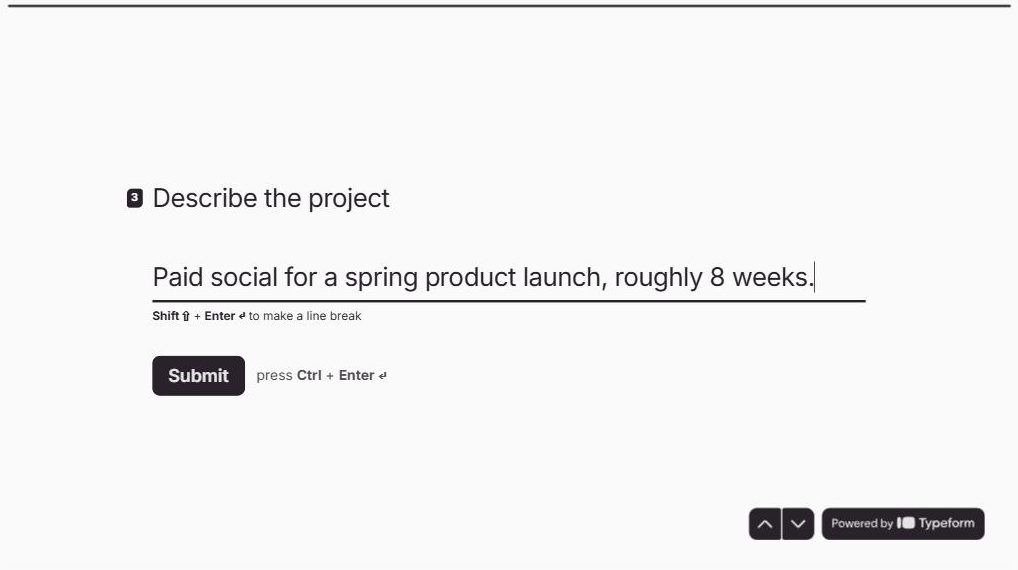
When you are building many branches at once. Typeform’s logic routes rather than reveals: you set where a match should go to, and it makes you answer “All other cases go to” as well. For one branch that is ceremony. For six it is a genuine advantage, and the Workflow view draws the result so you can check it at a glance.
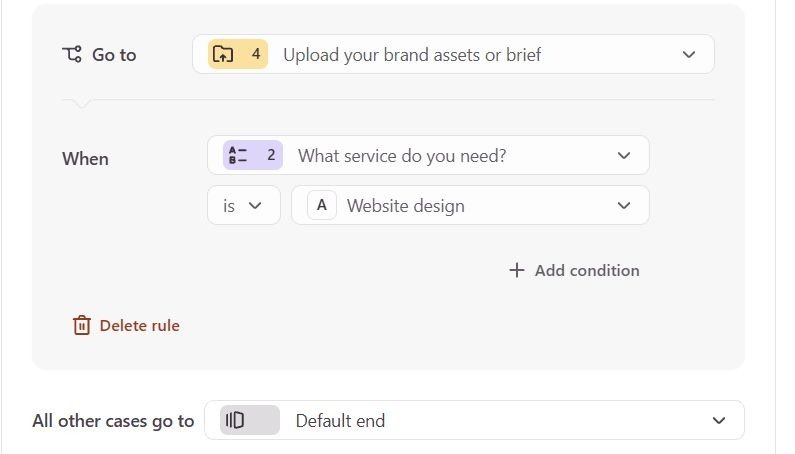
In my test both Typeform routes worked on the first configuration. The Advertising path showed Submit at question three and skipped the upload, exactly as designed.
There is also a switching cost worth weighing honestly. If your team already runs Typeforms with connected automations and people who maintain them, a nicer editor is not on its own a reason to migrate.
Moving an existing Typeform across
If you do decide to move, Tally has a Typeform importer: connect your Typeform account, pick the forms, import. I ran it twice, and the difference between the two runs is the useful part.
The first time, I imported the original test form, the one Typeform would not let me publish. Tally created a form with the right title and a single empty multiple-choice question. None of my four questions came across.

The second time, I imported the duplicate I had published. Everything arrived: all four questions, the page breaks and the branching rule, rebuilt as Tally logic. Both routes worked in Tally’s preview without any changes from me.
So publish your latest Typeform edits before you import, because the importer appears to read the published version. Tally’s documentation also says past responses do not come across, so export those from Typeform before you retire a form.
The verdict for small teams
Start with Tally. You can build the form you actually need before you sign up for anything, collect file uploads on the free plan, and run it in production without a response counter forcing a decision for you. In my test it also sent every entry, uploaded file included, straight into Google Sheets. When you do upgrade, it is because you want your branding on it, not because ten people replied.
Build your branches first, hide any block you intend to reveal, and walk both routes in preview. That takes about fifteen minutes and it will tell you more than any comparison article, including this one.